Conversations
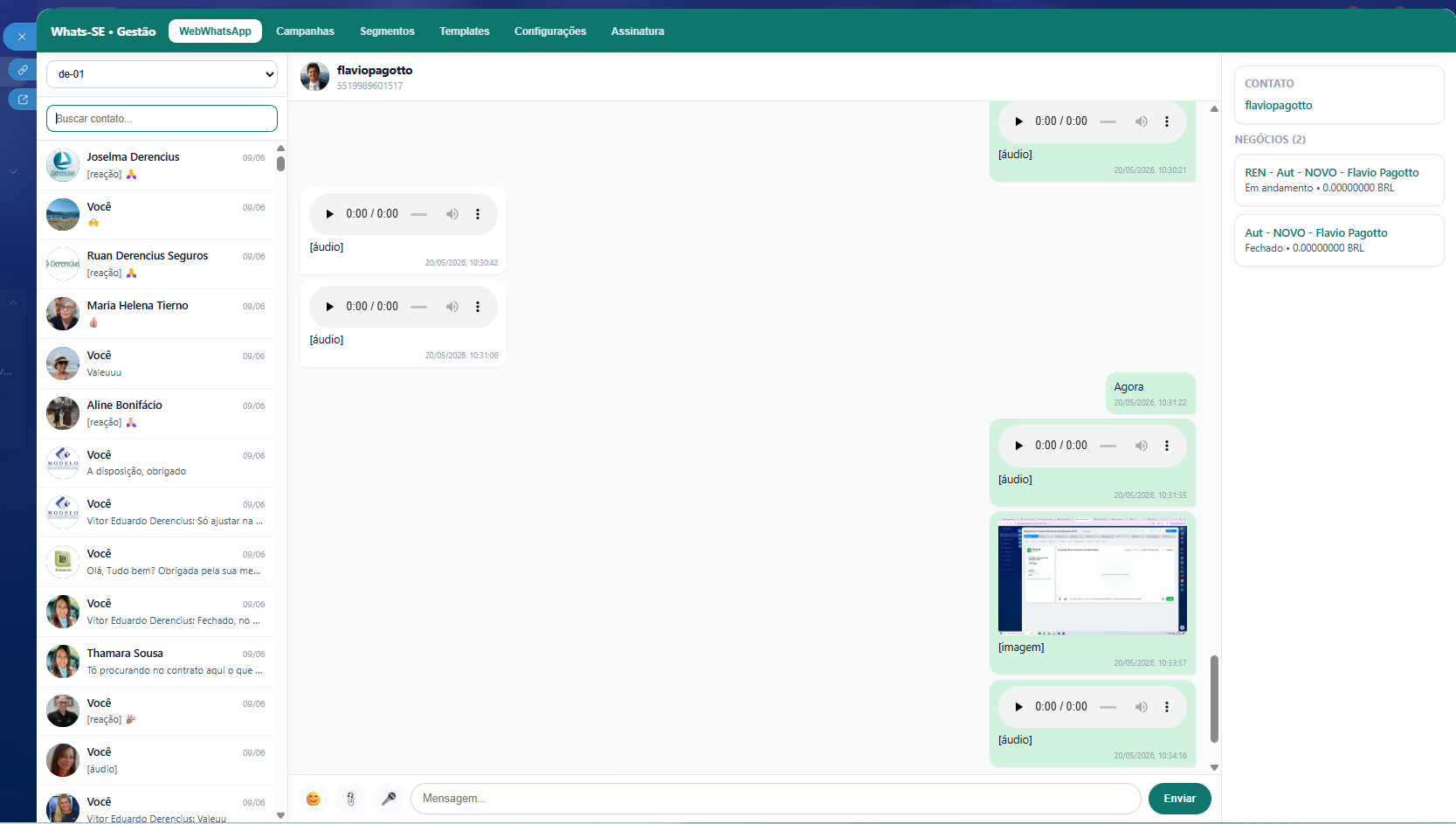
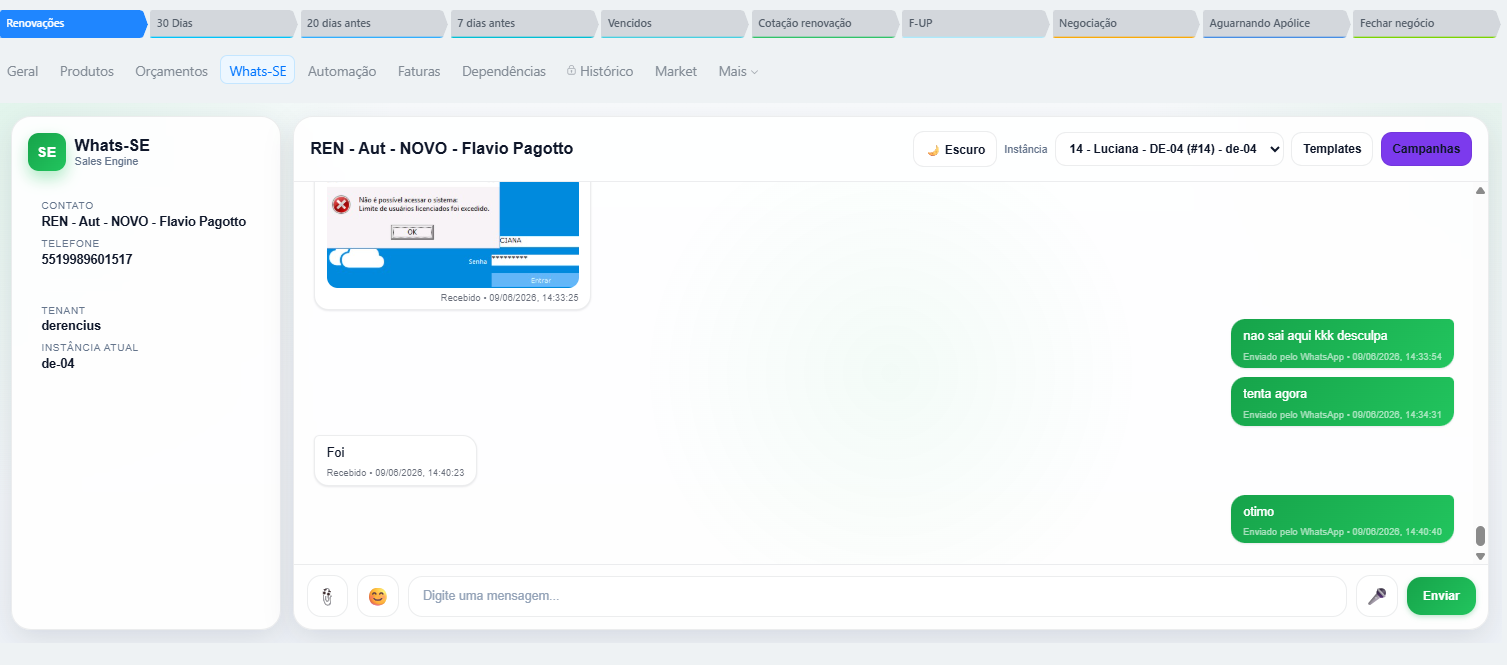
The management area lists conversations by instance and allows operational history follow-up.
Updated on 13/06/2026
A public guide covering the real Whats-SE flow: Bitrix24 installation, management area, number connection, messages, templates, campaigns, subscription and uninstall.
The current provisioning registers the items required to operate inside Bitrix24 without manual setup by the final customer.
The management area lists conversations by instance and allows operational history follow-up.
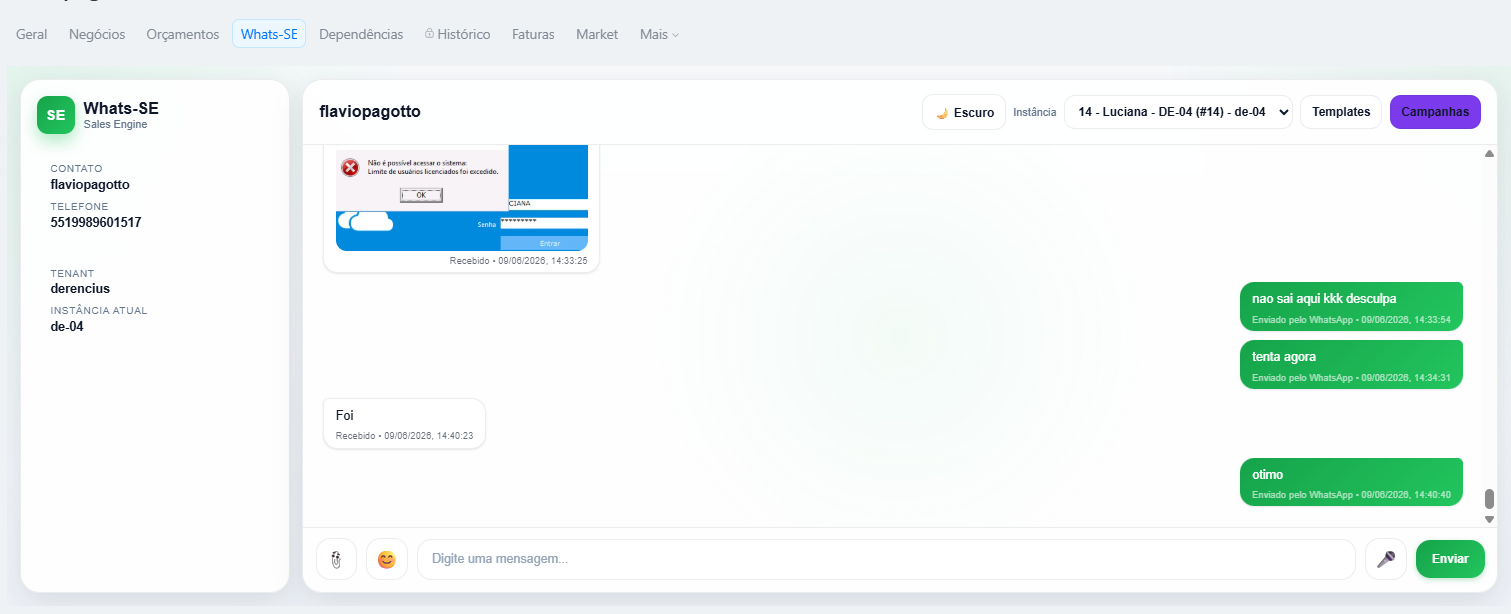
The user can send text and files, with phone normalization and result logging in history.
The tab in CRM entities helps resolve recipients and open Whats-SE in record context.
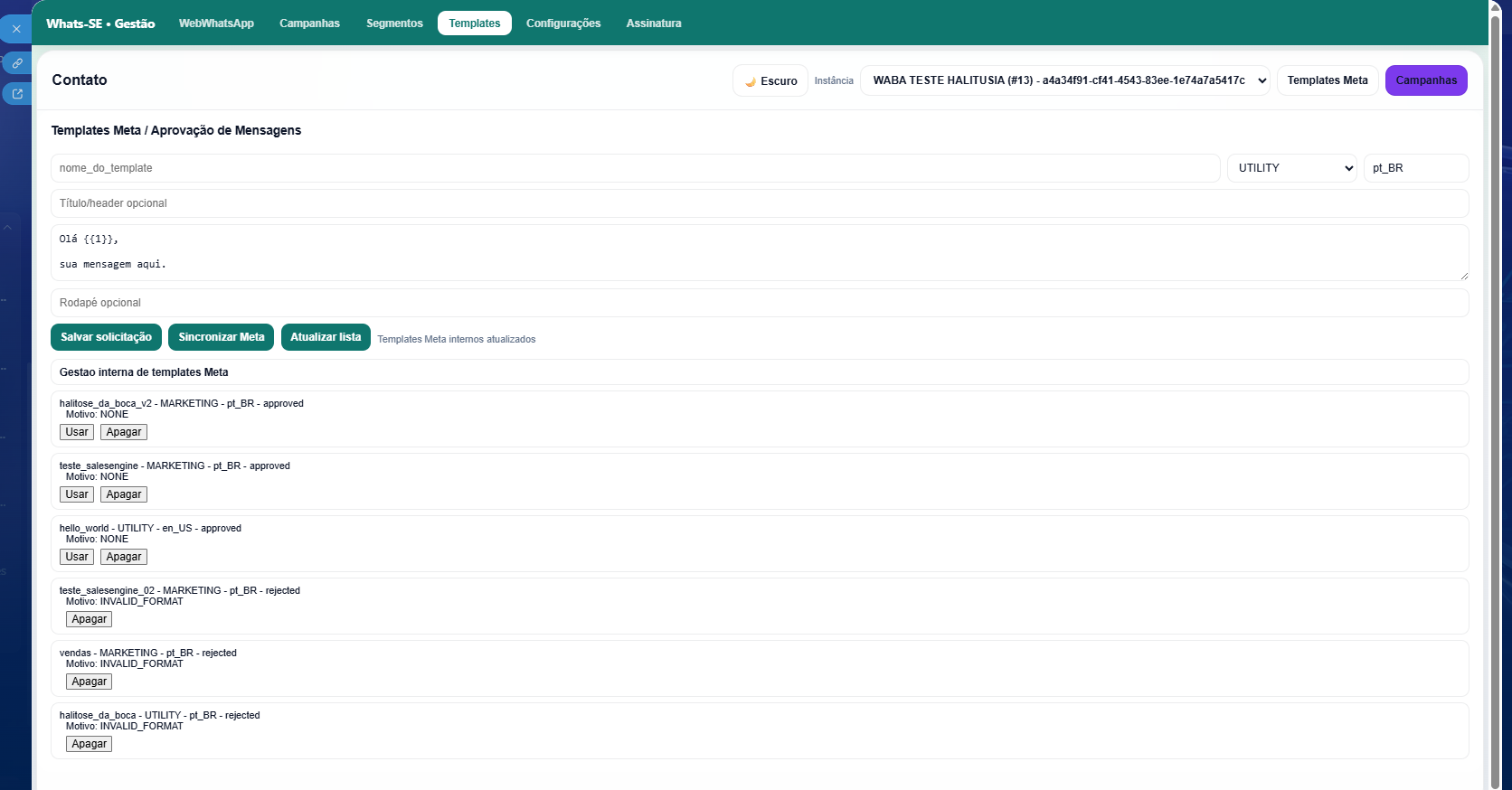
Official instances can use the Meta template area when the backend is configured for it.
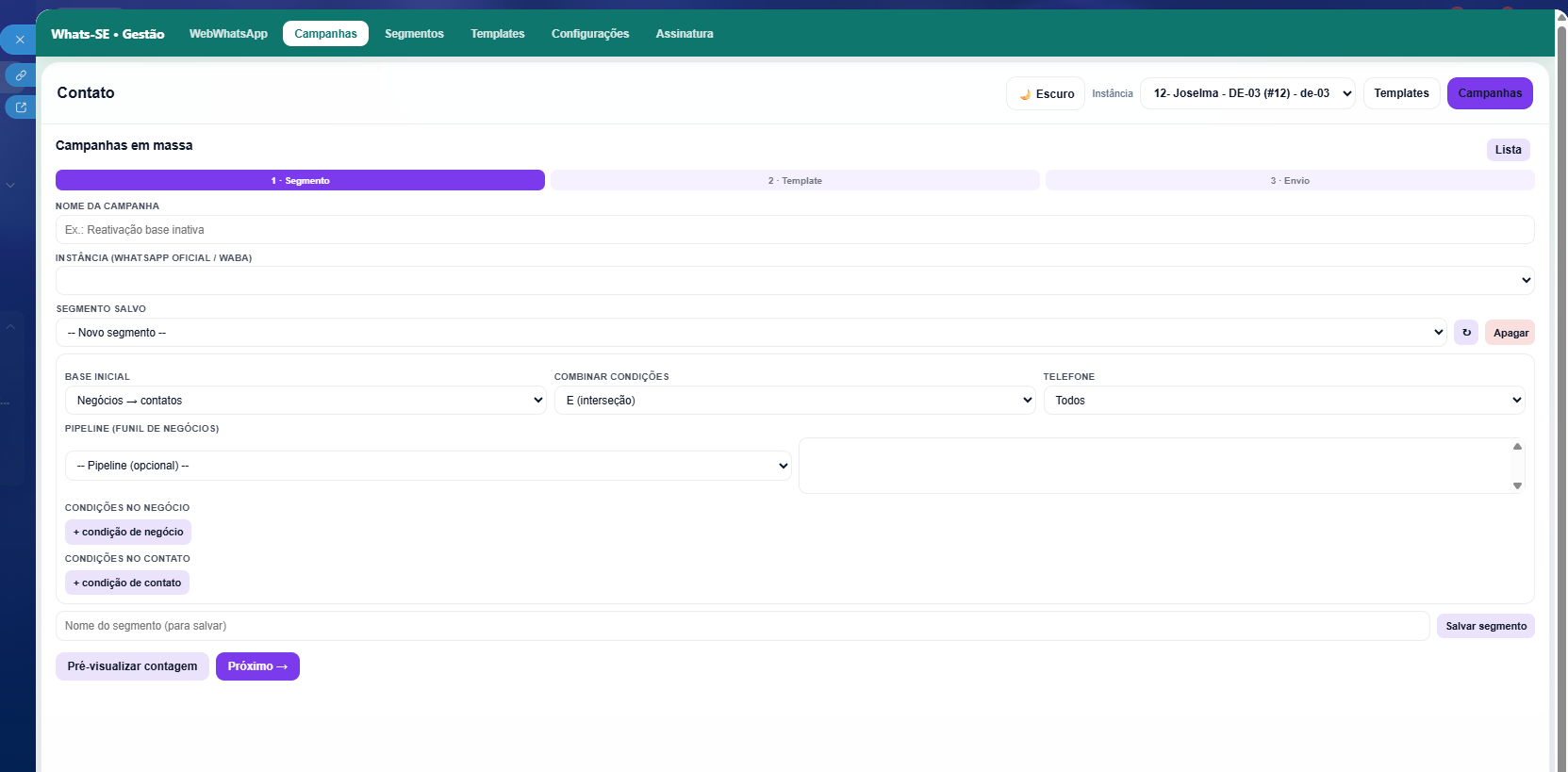
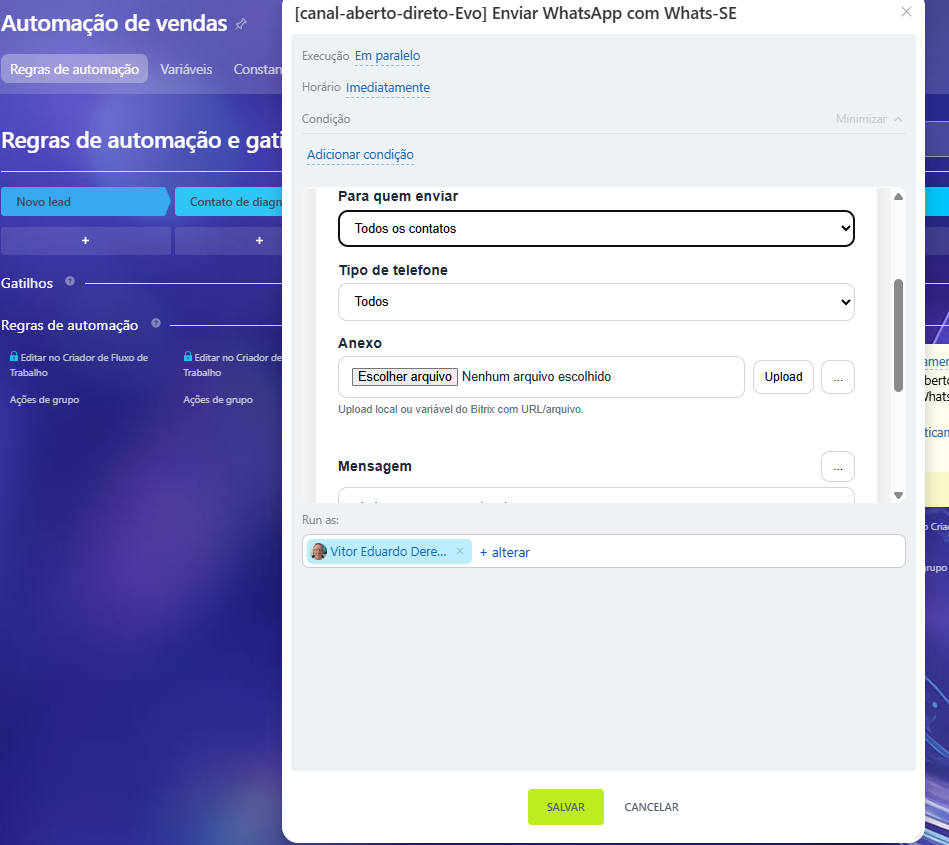
Advanced plans can use segments, campaigns and automations connected to Bitrix24 business rules.
The Subscription tab checks license status, trial, checkout and management portal.
The app has an ONAPPUNINSTALL handler. When Bitrix24 reports data cleanup, the backend removes the local tenant and deletes the license. Without cleanup, the license is canceled and operational data may be preserved according to the terms and privacy policy.
The docs show the flow. The blog explains the reasoning behind each decision.
When WhatsApp needs to live inside the CRM and preserve context, ownership and next steps.
How subscription, add-ons and external costs affect the solution choice.
Installation, onboarding and routine that reduce repeated questions.